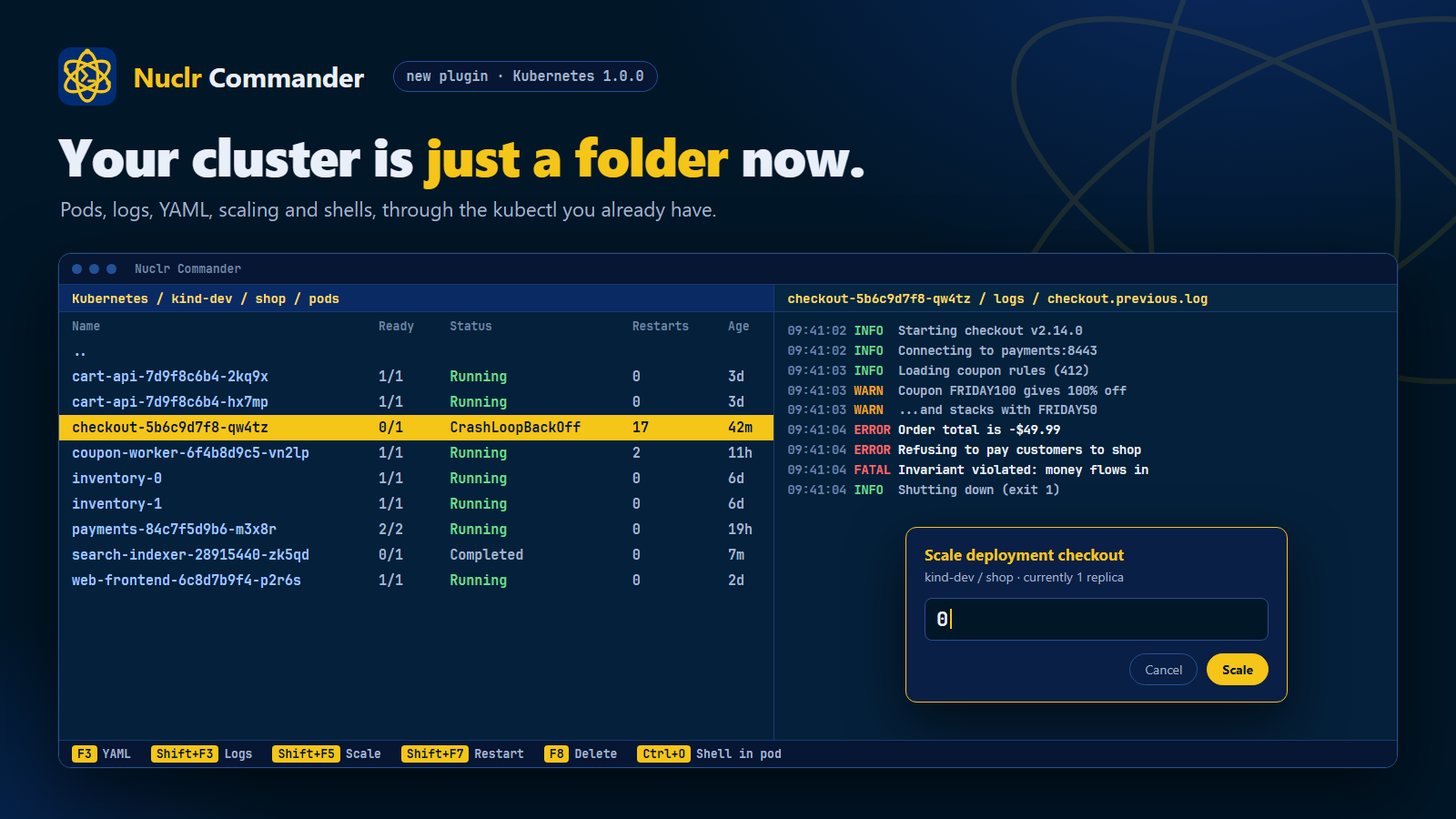
Browse any cluster your kubectl can reach as an ordinary panel, with logs, YAML, scaling, restarts and pod shells a keystroke away.
Added
Kubernetes clusters as a panel: contexts, then namespaces, then pods, deployments, statefulsets, daemonsets, jobs, cronjobs, services, ingresses, PVCs, ConfigMaps and Secrets.
Works with any cluster your kubeconfig reaches, in the cloud (GKE, EKS, AKS, OpenShift...) or local (kind, minikube, k3d, Docker Desktop), using your existing kubectl login.
Each folder shows the same columns as kubectl get, and pod status reads like kubectl's, so CrashLoopBackOff shows as CrashLoopBackOff.
Each pod is a folder with its YAML, describe output, events and per-container logs, including the previous logs after a restart.
ConfigMaps and Secrets open as one file per key, with Secrets decoded.
F3 views any object's YAML, Shift+F3 opens pod logs, Shift+F5 scales, Shift+F7 restarts a rollout or recreates a pod, F8 deletes.
Ctrl+O inside a pod opens a shell in it in Commander's console.
Every context is listed in the Alt+F1 / Alt+F2 drive menu.
Safety
Every command names its context and namespace explicitly, so your kubeconfig's current context is never used or changed.
Contexts named like prod, prd or live ask you to type the context name before any change or pod shell.
Contexts can be marked read-only, which hides all write commands.
Credentials are never read: kubectl handles its own authentication.